

Generic logging apps
Good at recording sets. Weaker at showing what the work adds up to.
Muscle Balance Tracking for Lifters
Via Fortis connects every workout to muscle coverage, weekly balance, and lift progress.
Private two-week audit. No account needed.
On Android? Use the Via Fortis web app.
Free Training Audit
Enter the lifts you did recently and Via Fortis previews muscle coverage, movement balance, and plain-language notes from your training snapshot.
Which areas your recent lifts actually touched.
Push, pull, squat, hinge, and core patterns at a glance.
Clear takeaways before you change the next block.
Popular Training Checks
Run the free audit when you want the answer from your own lifts.
See muscle coverage, weekly balance, and gaps from recent lifts.
Split AnalysisCheck whether your split matches the work you actually logged.
Missing MusclesSpot common blind spots like rear delts, calves, hinge, and core.
PPL BalanceReview push, pull, squat, hinge, and core balance in your PPL week.
What It Is
Via Fortis keeps the training judgment in your hands, then makes your history easier to read: muscle coverage, weekly balance, and lift progress in one place.
Common paths
Good at recording sets. Weaker at showing what the work adds up to.
AI can suggest workouts, but the results can be generic or hard to trust.
Built around sharing and feeds, not private review of your training history.
Via Fortis
See muscle coverage, weekly balance, and lift progress.
Keep the plan yours. See what your training is becoming.
Train With More Context
See muscle coverage from your workout history instead of guessing from notes or memory.
Training BalanceTrack push, pull, squat, hinge, and core patterns so quiet gaps are easier to catch.
Lift ProgressReview PRs, e1RM, Strength Momentum, and training history without turning your gym log into a spreadsheet.
Proof In The Product
Log the work, then see the patterns that usually stay buried in notes.
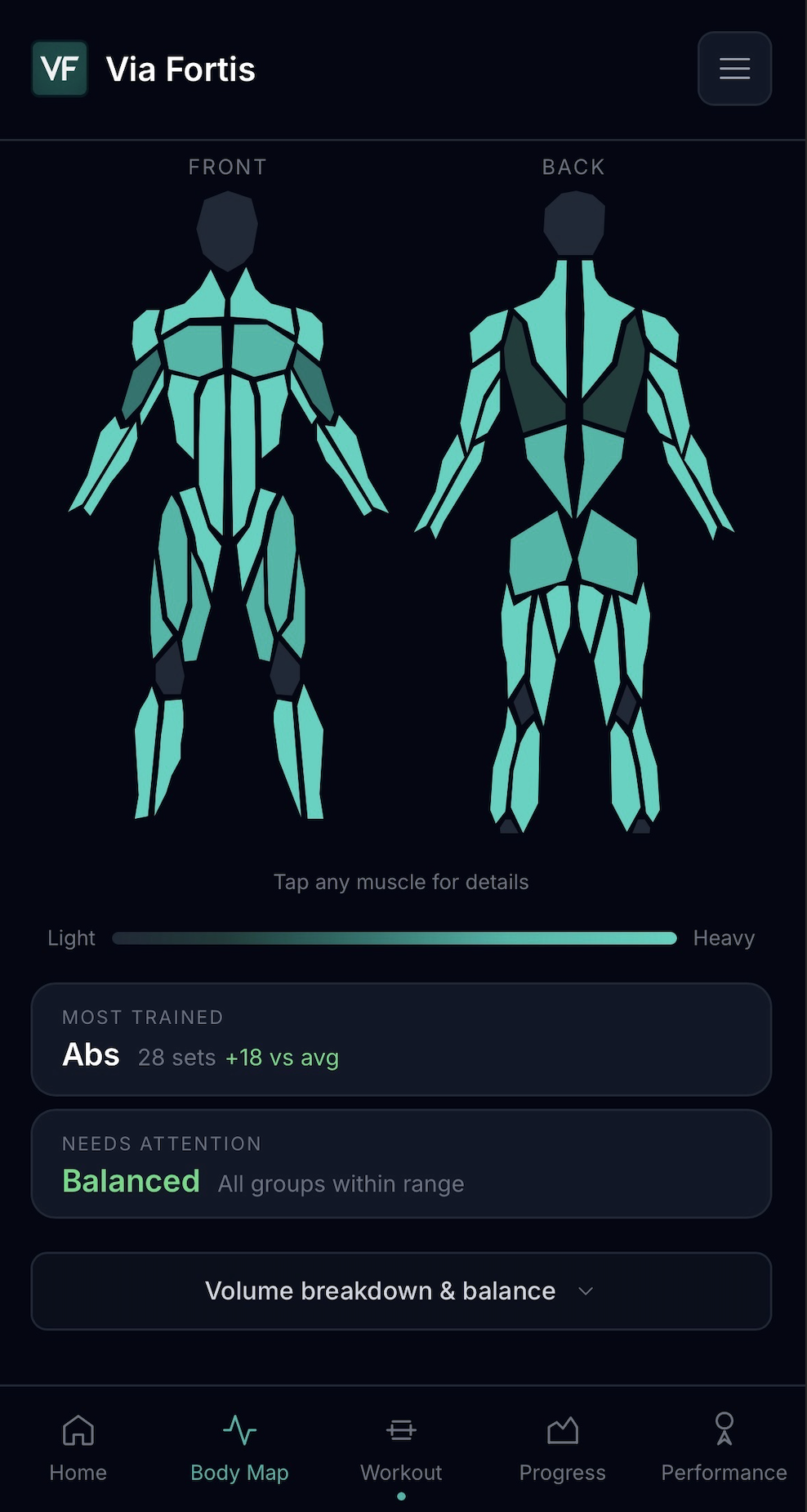
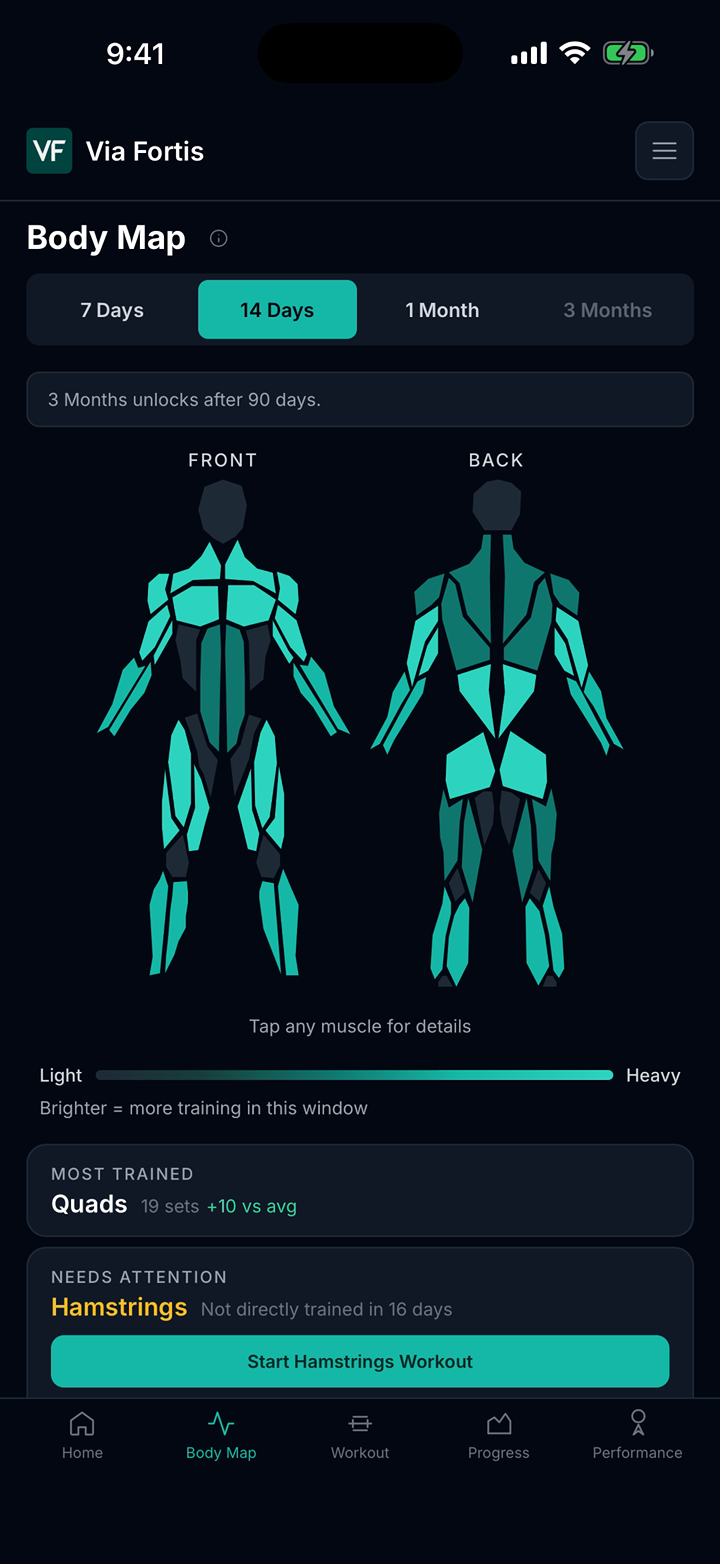
Body Map
Body Map shows which muscles are falling behind so you can fix it before it becomes a pattern.
Explore Body Map tracking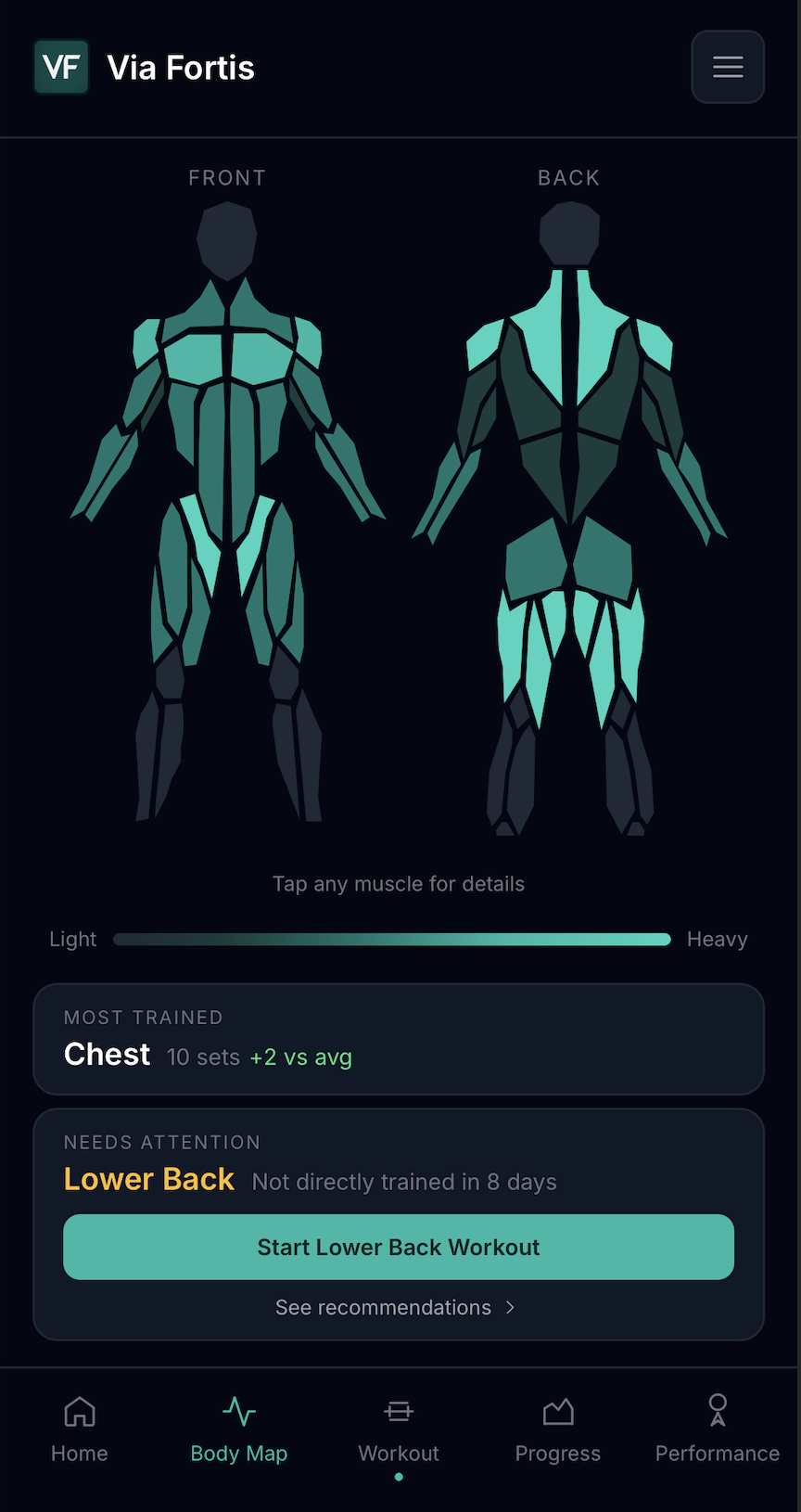
Missed areas
Balanced coverage
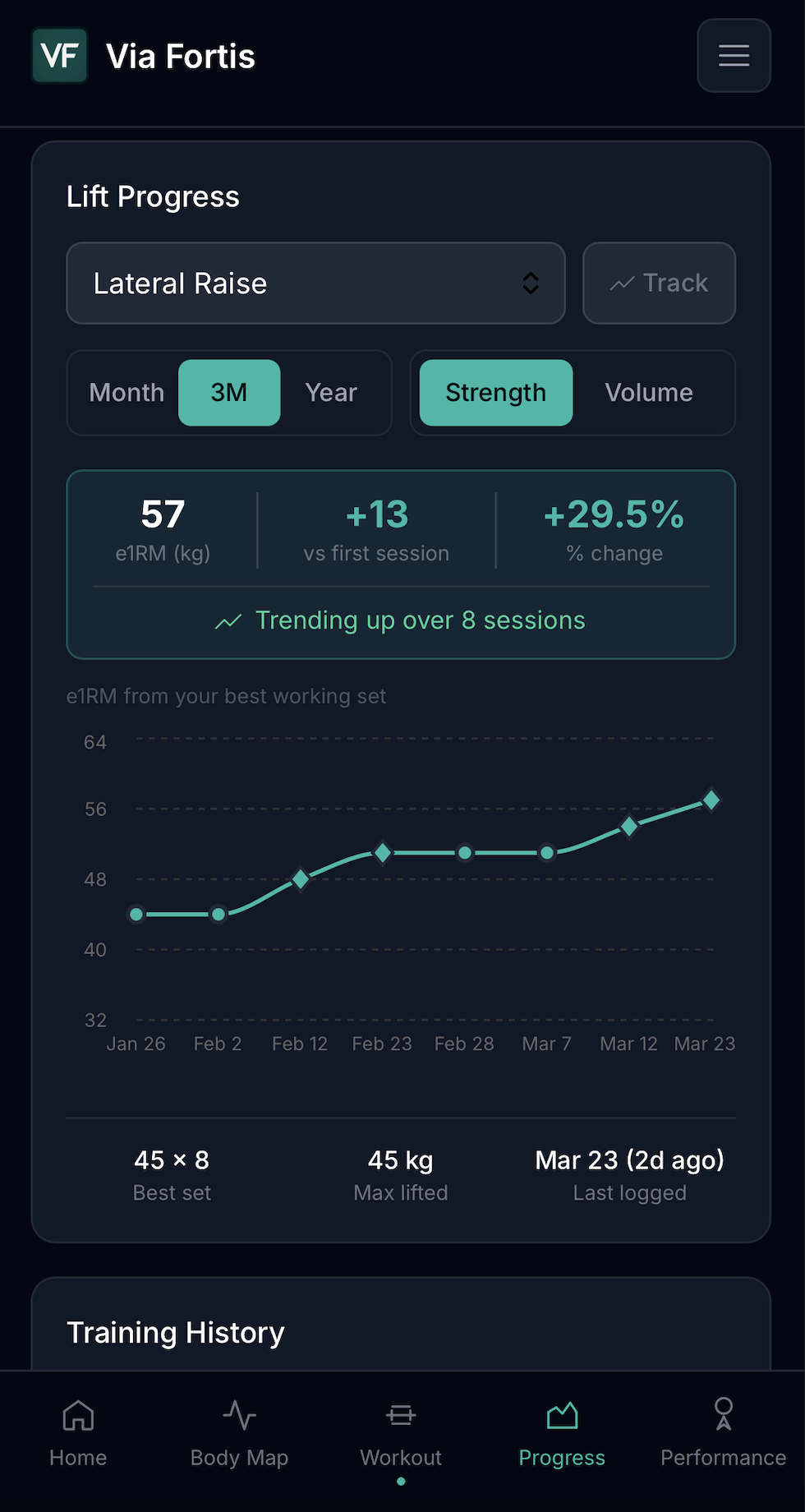
Logging To Progress
Log quickly in the moment, then review whether the work is turning into real strength gains.
Explore lift progress tracking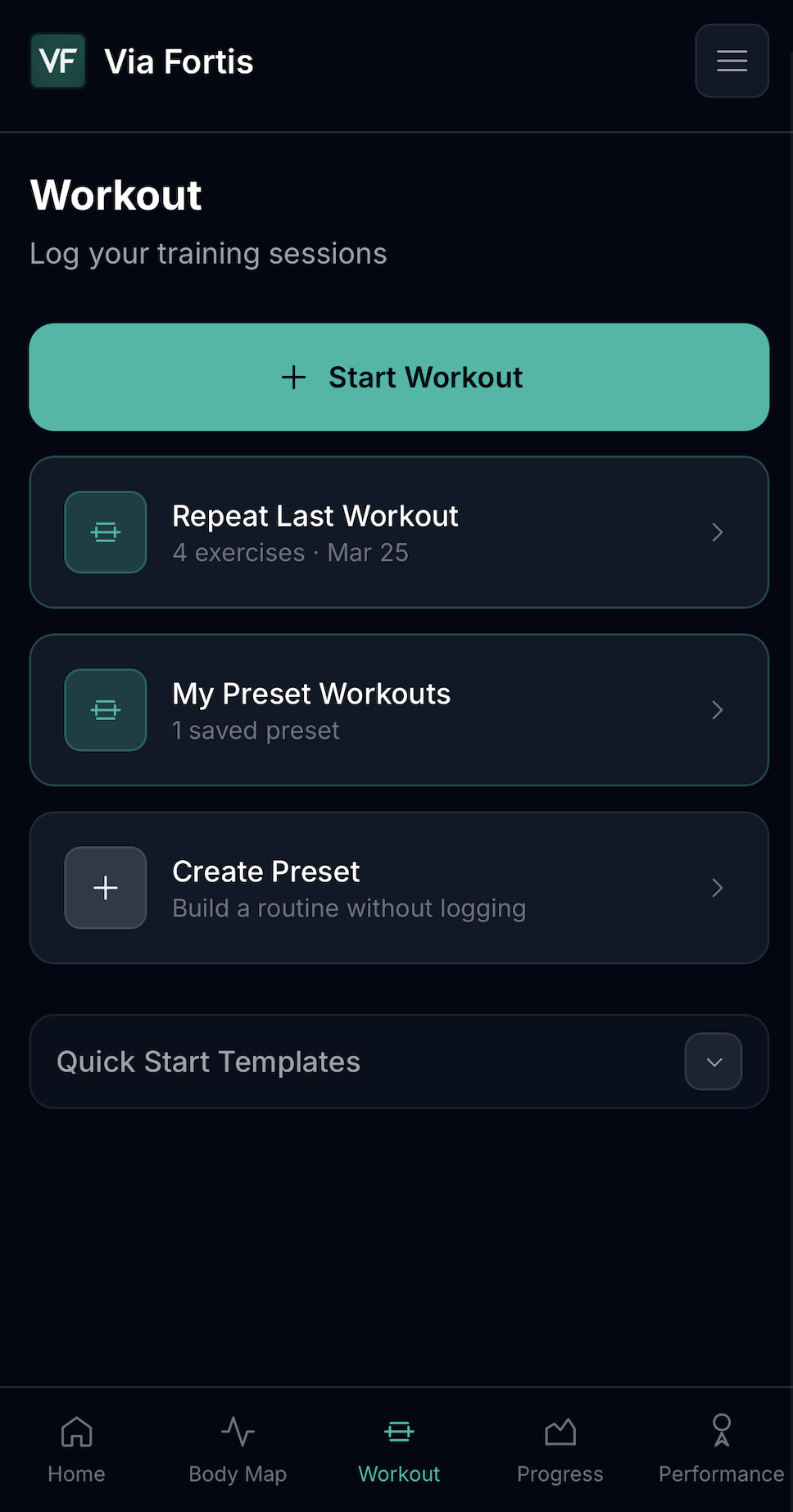
Logged workouts
Visible progress
Weekly Balance
You can train hard all week and still miss what's actually shifting. Weekly Balance makes it visible.
Explore training balance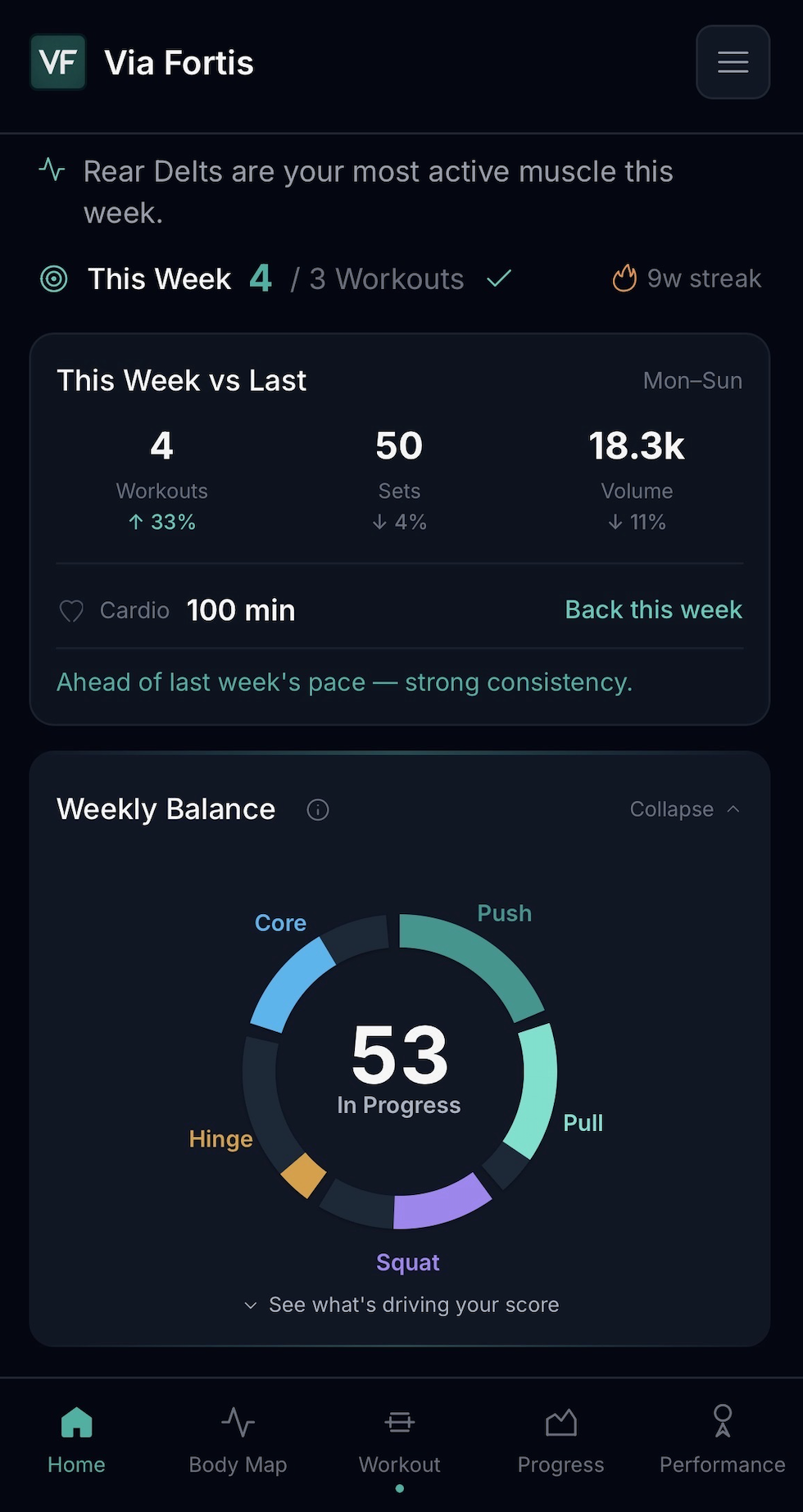
In-App Workflow
See the surfaces that turn a normal gym log into training feedback.
Core Logging
Use presets, custom routines, exercise history, quick starts, and rest timers with haptics. Then review Body Map, Weekly Balance, and Lift Progress when the session is done.
In Motion
A quick pass from workout entry to Body Map and Lift Progress.
Get the App
Download free on iPhone. Track workouts, balance, and progress as your history builds.
Optional Pro: $4.99/mo or $39.99/yr after trial. Pricing may vary by region.
Data Control
Export your data anytime. We do not sell or share your training history.
Compare
See how Via Fortis compares with popular lifting apps when you want fast logging plus muscle coverage, weekly balance, and lift progress.
Learn
Plain-English guides for lifters who want more useful feedback from their log. Start with the training guides hub.
Learn how a muscle heat map turns exercises into a clearer picture of what you trained.
Weekly BalanceSee how push, pull, squat, hinge, and core work reveal the shape of your week.
Lift ProgressReview PRs, e1RM, workout history, and Strength Momentum without rebuilding your log.
FAQ
Plain answers for lifters deciding whether Via Fortis fits their training.
Strong is a fast logger. Hevy adds a social feed and program library. Fitbod uses AI to plan your workouts. Via Fortis is more focused on showing what your training has become: muscle coverage, weekly balance, and lift progress. Any nudges it surfaces are grounded in your own logged data.
Yes. Core logging tools, Weekly Balance, the 7-day and 14-day Body Map, Lift Progress, and basic goals are free. Core logging includes presets, custom routines, exercise history, and rest timers. Via Fortis Pro unlocks longer Body Map windows, deeper insights, and more presets and goals. Pro is $4.99/month or $39.99/year after the initial trial period. Pricing and eligibility are shown in the App Store and may vary by region.
The Via Fortis app is an iPhone app. There are no current plans to expand to the Google Play Store, but Android users can use the Via Fortis web app at app.viafortistraining.com, which includes everything in the free tier of the iOS app.
Mostly, after setup. You can log workouts offline; drafts save continuously and sync when you reconnect. Setup, sign-in, and subscription management require an internet connection.
Not quite yet. Automatic import from other apps or CSV is not available, but may be available at a future date. For now, the training audit lets you enter a recent two-week snapshot without creating an account so you can preview what the Body Map looks like in Via Fortis.
Not yet, but Apple Health and HealthKit integration are planned for a future release.
Via Fortis maps 120+ exercises to primary and supporting muscle groups using a curated catalog. Every set you log contributes to those muscles based on the mapping, so the Body Map reflects what your training actually touched, not just what you named the exercise.
Your training data belongs to you. Via Fortis does not sell your data, does not show ads, and lets you export your data. See the Privacy Policy for details on what is stored, where, and how it is used.
Enter your last two weeks of lifting in your browser. In about two minutes the audit shows you which muscles you covered, where the week's balance is off, and plain language notes. It is the same view Via Fortis builds from your full log over time. No account needed.